Rich and dynamic user interfaces with Flutter and generative UI
We’re thrilled to introduce GenUI SDK for Flutter, now available in alpha on pub.dev.

Rich and dynamic user interfaces with Flutter and generative UI
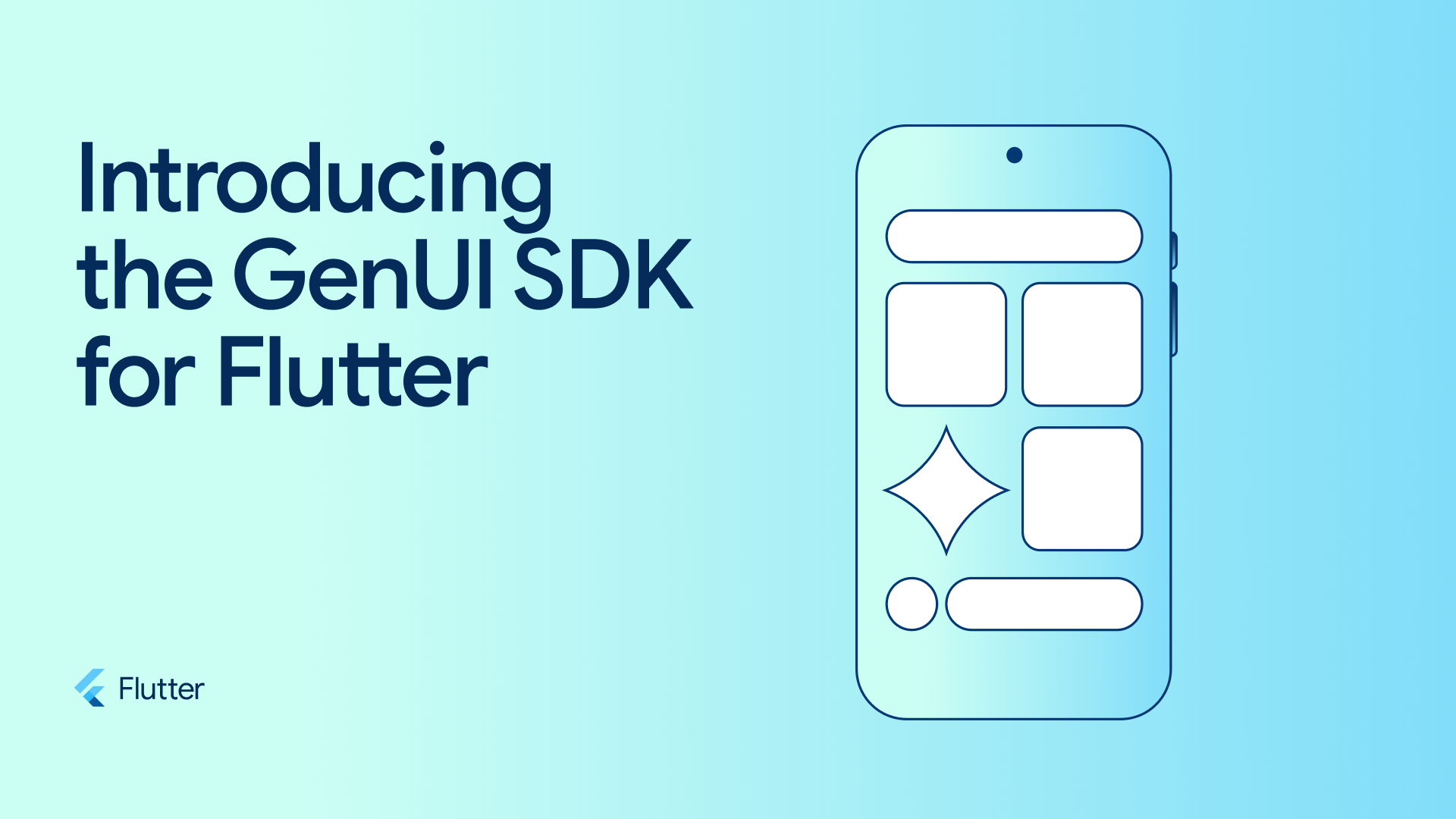
We’re thrilled to introduce GenUI SDK for Flutter, now available in alpha on pub.dev. This new SDK for Flutter helps you generate dynamic, personalized UI with Gemini (or other LLMs) to significantly improve the usability and satisfaction of your GenAI and agent-based user experiences, which also adheres to your established brand guidelines and using your own widget catalog.
Today’s app users expect not only beautiful and fast UIs, but also more dynamic, deeply personalized, and adaptive experiences. We are building GenUI SDK for Flutter, a suite of packages, to make it easier for you to build and deliver this new generation of experiences to all of your users.
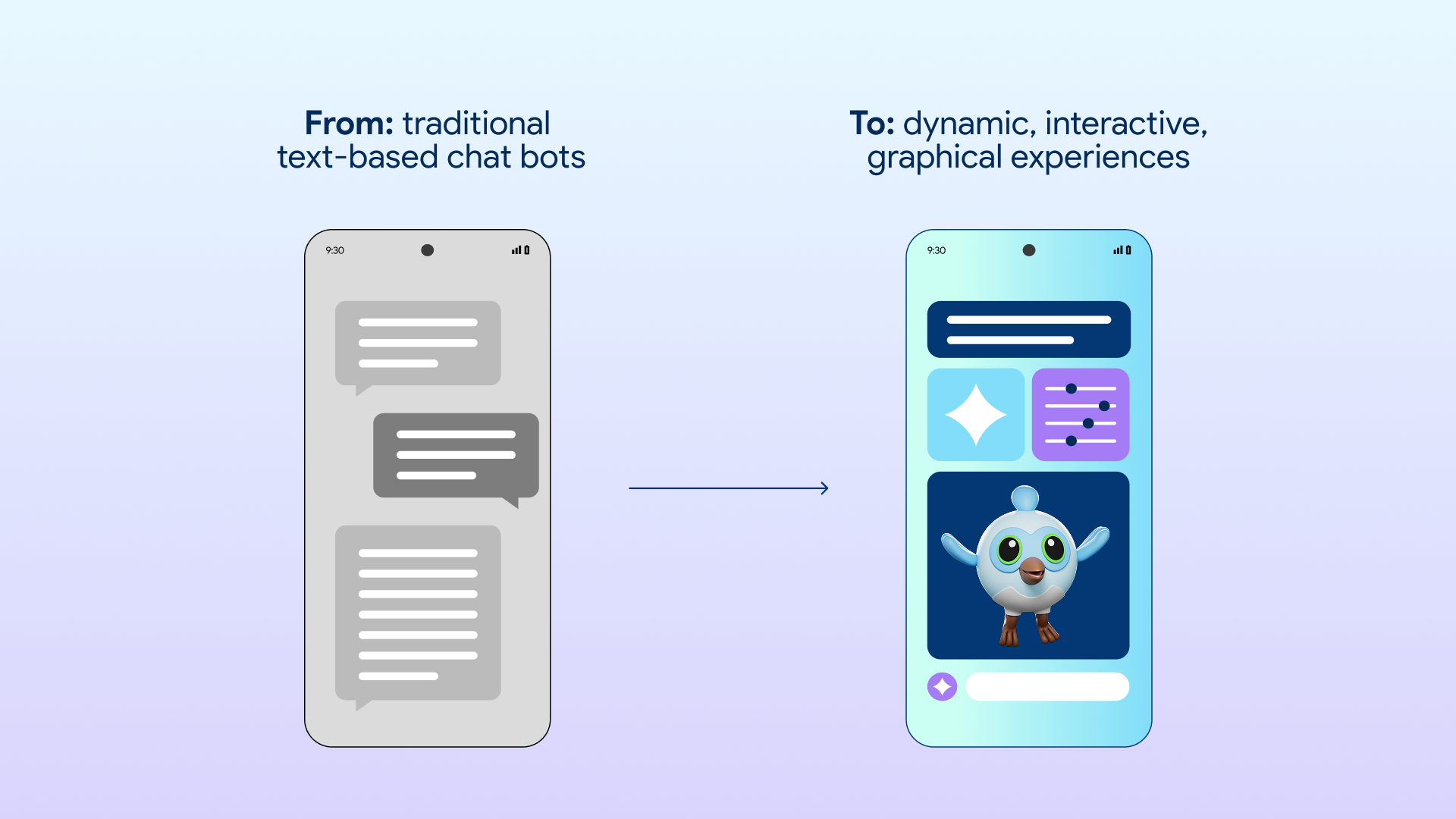
A great example of a powerful generative UI experience built with Flutter and Gemini is the new experimental visual layout feature in the Gemini app (App Store, Play Store), rolling out today. It generates an immersive, magazine-style view of the information, complete with photos and modules. These generative elements don’t just look great; they are interactive and help you further customize the experience. Gemini’s new visual layout feature inspired us to build the GenUI SDK for Flutter, so that anyone can also build the same kinds of dynamic, interactive, generative experiences.
How does GenUI SDK for Flutter work?
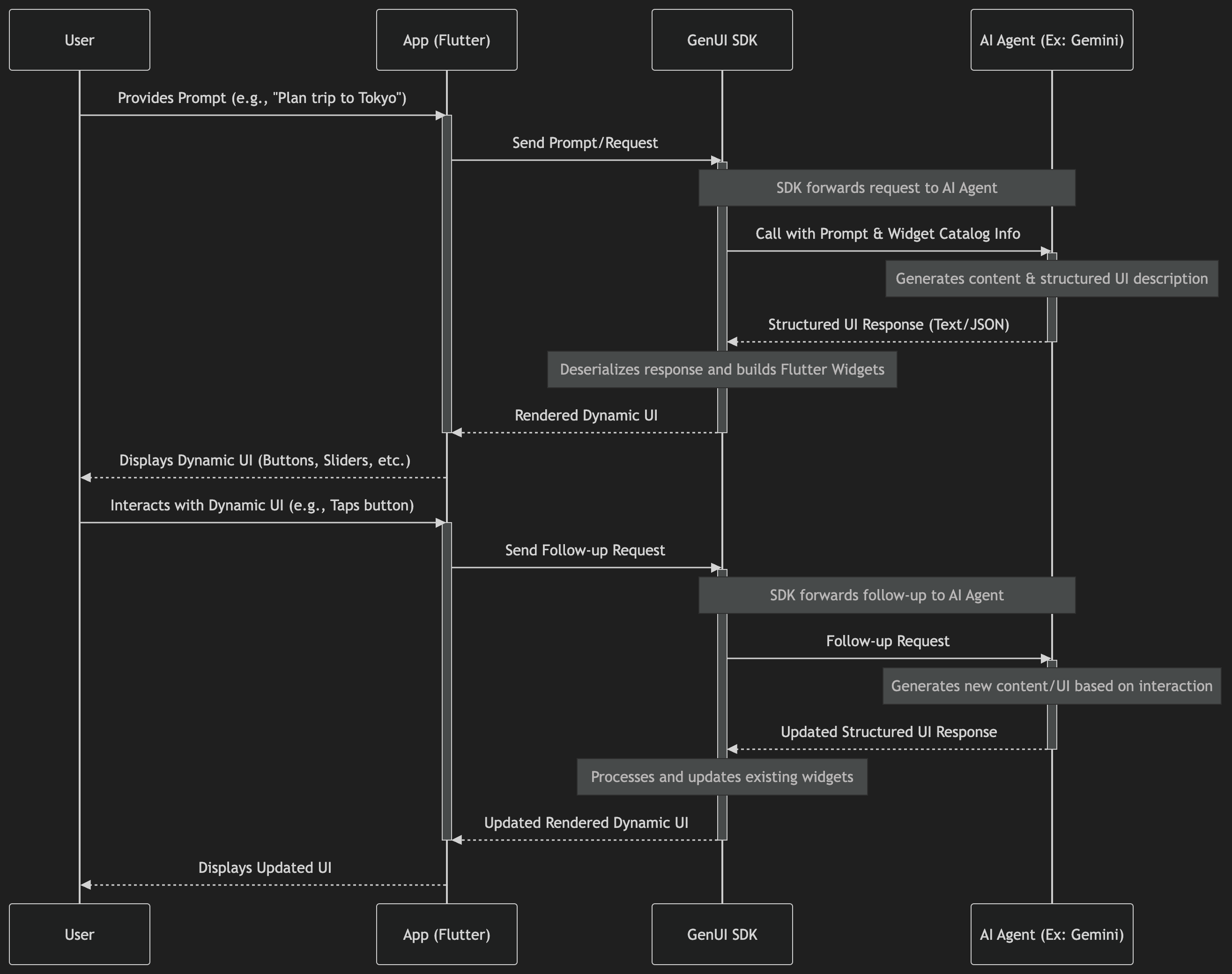
At its core, the GenUI SDK for Flutter is an orchestration layer. It coordinates the flow of information between your user, your Flutter widgets, and an AI agent, transforming text-based conversations into rich, interactive experiences.
-
The app sends a request: The user provides a prompt (for example, “Help me plan a trip to Tokyo!”). Your app calls your AI agent with the prompt and additional information about the catalog of widgets it can use and compose together in response.
-
The AI agent generates both content and UI to display it: The AI agent generates a response, but instead of just relying on text, it uses tools provided by the GenUI SDK to describe the UI most suited to the content it generated.
-
UI is dynamically rendered: The GenUI SDK receives the response, deserializes it, and builds the appropriate widgets. Some are informational, some are layout, and some can be interactive (and might include sliders, buttons, or a date picker).
-
The user interacts with the dynamic UI: The user taps on buttons and other controls, which can trigger followup requests to the agent, which result in more UI updates, and so on.
This loop enables you to move beyond simple text responses. By defining your own custom widgets, the GenUI SDK for Flutter ensures the dynamically generated UI is compliant with your branding guidelines.
For a more detailed explanation and walkthrough of the GenUI SDK for Flutter, check out the following video:
The UI protocol under the covers
The GenUI SDK for Flutter is built around the upcoming A2UI protocol in collaboration with Google’s A2A team and the Opal team at Google Labs. A2UI is a new (soon to be open source) toolkit to facilitate implementing LLM-generated UIs in any framework. We use A2UI as the serialization format for UI that is generated by the LLM, and the GenUI SDK for Flutter is using an early version of an A2UI renderer.
How do I get started with building GenUI experiences?
We want to make it easy to experiment with the GenUI SDK for Flutter, so we’ve bundled in content generators for LLMs, sample apps to see it in action, and markdown docs for coding agents (and humans!)
First, grab the main pub package for genui.
-
Next, choose a content generator. The following are the content generator options we provide that support a variety of use cases:
- Google Gemini API: Useful for experimentation and local testing as you’re mapping out your experience.
- Firebase AI logic: Useful for production apps where interactions with the LLM are all in your Flutter client, without requiring a server. Firebase also makes it easier to ship your AI features securely since Firebase handles the management of your Gemini API key.
- A2UI: Useful for client/server architectures where your agent is running on the server.
- Build your own: Of course, you can also build your own adapter to connect to your preferred LLM provider. Expect more from us and the community soon.
To make it easy for your coding agent to build with the GenUI SDK for Flutter, we also included markdown docs. These markdown files teach your coding agent how to use the various GenUI SDK APIs.
The flutter/genui repo has sample apps that you can use to give you a good starting point for building GenUI experiences. The following video shows the Landscape design app , which gives you an example of a Flutter client interacting with a Python-based server using A2A (Agent-to-Agent) and ADK, with UI generated dynamically by the AI agent. In this demo app, the user can upload a picture of their yard, Gemini analyzes it, and then through the GenUI SDK for Flutter provides a custom UI for the user to enter their constraints and requirements for updating their yard’s landscaping. Once the user inputs their preferences, then they would see a result that takes into account their selections. This app demonstrates how a GenUI-based experience improves the collaboration between human and agent.

What’s coming next?
We are building the GenUI SDK for Flutter to help you deliver personalized, dynamic, AI-driven app experiences across mobile, web, and desktop from a single codebase. Here are some of the things we are considering for our roadmap:
Agent Development Kit (ADK) plugin: turnkey integration with ADK.
-
Expanded LLM framework support: Official adapters for other popular AI models and backend frameworks.
-
Reduced perceived latency: Progressively rendering standard UI components as the LLM generates them, rather than waiting for the full response.
-
Full-screen composition: Moving beyond individual widgets in a stream to let the LLM compose entire screen layouts and handle complex app navigation based on user intent.
-
Dart bytecode: Providing true server-driven UI by allowing the backend to send entirely new widget logic over the wire, not just configurations for widgets already in your binary.
-
Genkit integration: Integration with Genkit, an open-source AI framework.
The project is still in its early phases, so we’re excited to hear your thoughts and feedback. We can’t wait to see the GenUI experiences you build with Flutter!