What’s new in Flutter 3.44
Empowering developers at Google I/O 2026

What’s new in Flutter 3.44
Empowering developers at Google I/O 2026
Flutter 3.44 is here, and it’s a big one! This release celebrates a milestone in the Flutter timeline: Hybrid Composition++ for Android, Swift Package Manager as the new iOS/macOS default, and improved Vulkan support for Impeller. We’re previewing multi-window desktop support with Canonical as our new lead maintainer, and embarking on a major architectural evolution by decoupling Material and Cupertino from the core framework. We’re redefining UX for agentic user experiences with GenUl and reimagining developer experience with Agentic Hot Reload and Dart & Flutter Agent Skills. Flutter is empowering the next generation of apps-everywhere from the 2026 Toyota RAV4 multimedia system to the upcoming LG webOS SDK. We’re so excited to share all of the news and updates with you; welcome to Flutter 3.44!

This year’s Flutter theme at Google I/O is: Flutter is everywhere, everyday, built by everyone, for everyone.
“Everywhere, everyday” stems from a Tuesday realization I had using an app on my phone: Flutter apps were part of my life everywhere, from tracking my meals in the Bay Area to shopping while I was in Japan. The numbers back this up: The pub.dev ecosystem is more popular than ever, with over 1.3 billion package downloads, in the last 30 days alone. Flutter is now the second most popular development SDK for mobile on both major app stores with over 1.5 million monthly developers, a 50% increase in just one year.
“Built by everyone, for everyone” reflects a chat with my Google I/O co-host, Kate Lovett, about the joy of our global community. Our 1,700+ committed and passionate contributors are the engine behind this progress, landing 5,800 changes in the core repository this past year. In this release cycle alone, we’ve landed 972 commits from 178 unique contributors, including 61 new contributors landing their first commits. Our community remains the lifeblood of Flutter, ensuring it truly is built by everyone, for everyone. THANK YOU!
There are lots of changes to tell you about. You might also want to check out the changes in the Dart 3.12 release.
Developer experience
We want to make the experience of building apps with Flutter as productive as possible, whether you’re writing code by hand or iterating with your favorite coding agent. In this release, we are improving upon our existing suite of developer tools and introducing new ones to augment your development workflows.
DevTools performance improvements
We’re introducing fine-grained analysis to boost efficiency and we’ve made performance improvements for analysis of projects with many files or directories.
We’ve also added more stability and performance improvements to Flutter DevTools, including a change to use WASM by default, which makes DevTools snappier and more responsive.
Learn more: Release notes for DevTools 2.55.0 and 2.57.0.
Widget Previews (experimental)
This release brings further performance improvements and features to the Widget Preview environment:
-
Preview detection rewrite: The detection logic now utilizes the Dart Analysis Server, significantly reducing memory usage by the flutter tool. For IDE users, overall memory usage should be reduced by up to 50%.
-
Preview filtering: It’s now possible to filter previews by group, name, and script and package URIs, making it easier to work in projects with many previews. Special thanks to community member NamanGoyalK for this contribution!

Learn more: Flutter Widget Previewer
Rosetta-free native Apple Silicon support
Mac developers running Apple Silicon chips no longer need to install the Rosetta translation layer to run Flutter. All macOS command-line tools, including our iOS device communication binaries, have been updated to run natively on ARM. This update arrives ahead of Apple’s planned deprecation of Rosetta translation support, ensuring your development environment is future-proofed on Apple hardware. Looking ahead, a future release of Flutter will end support for Intel x86 Macs entirely. If your team still relies on Intel-based Mac hosts for development, you should begin planning your hardware migration.
Learn more: Using Intel-based apps on a Mac with Apple silicon (support.apple.com)
Reimagining developer experience in an AI-driven world
Over the last year, the Dart and Flutter ecosystem has witnessed an explosion of agent-based tools like Antigravity, Gemini CLI, Claude Code, and Cursor which are fundamentally evolving the developer’s role into one of architecting and coordinating with agents. To support this transition, we’ve focused on enhancing our developer experience foundation and introducing new tools to augment your development workflows.
Seamless coding agent integration with Agentic Hot Reload
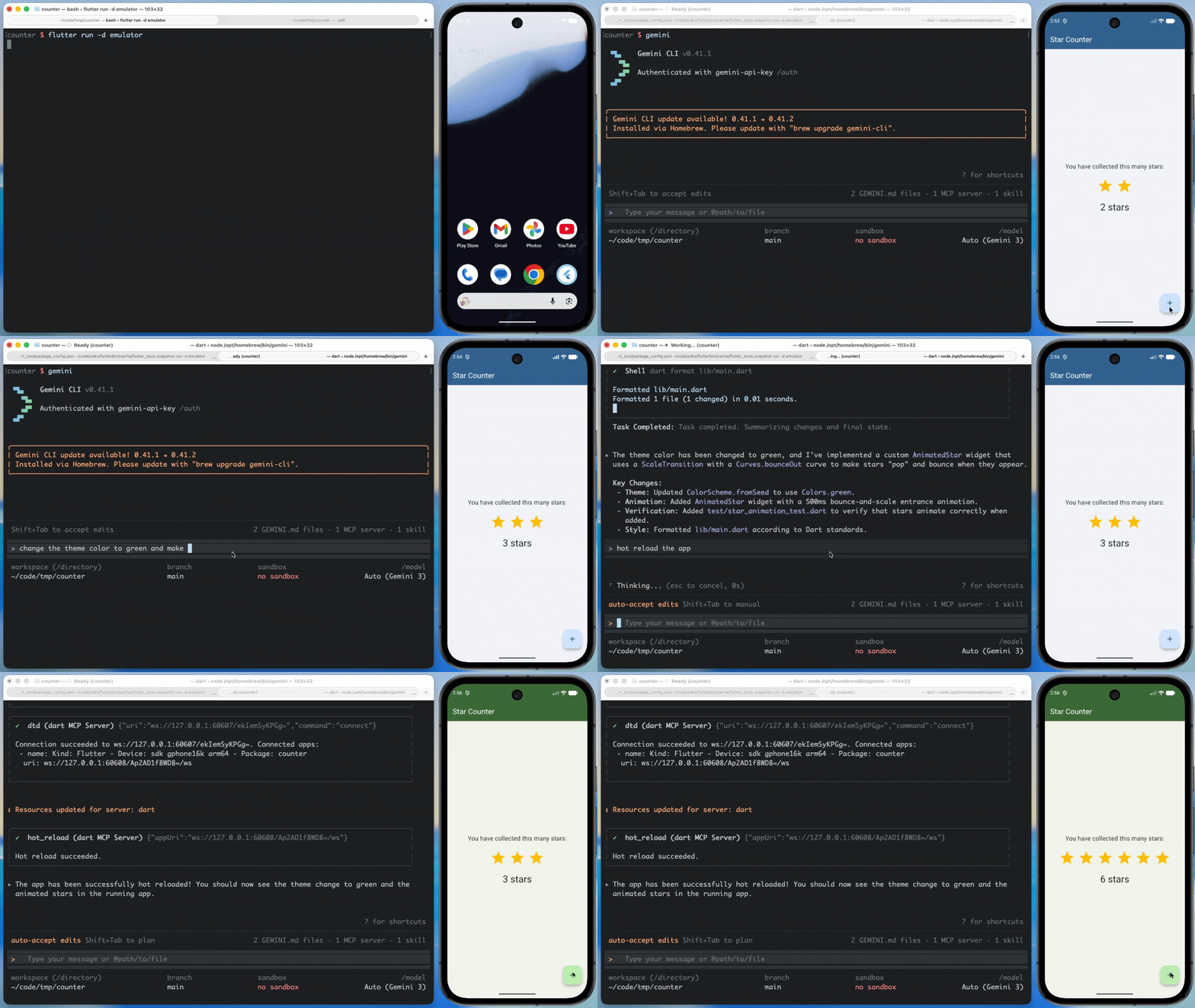
In a big leap forward for AI-assisted development, we are launching Agentic Hot Reload: The MCP server and your favorite coding agent will now automatically find and connect to running Dart and Flutter applications. This means coding agents like Antigravity can now hot-reload your running app out of the box! When you prompt your AI assistant to edit a UI, the agent writes the code and triggers a hot reload automatically to show you the result instantly, no manual setup needed. Go ahead and try it! We’ve also…
-
Hardened dependency search: Agents can now read and search files inside package dependencies safely, without requiring full access to your local pub cache.
-
Consolidated tools: We consolidated our MCP tool definitions, significantly reducing token costs for your agent workflows.
Check out Agentic Hot Reload in action:

We also recently launched Agent Skills for Dart and Flutter, equipping your coding agents with task-oriented, production-grade domain expertise. These skills level up your coding agent and help you save tokens when completing tasks such as adding integration tests or setting up localization, while adhering to recommended best practices.
Learn more: Introducing skills for Dart and Flutter, Dart and Flutter MCP server
AI on every screen with Flutter: Building the next generation of AI-native apps
As AI-driven features evolve from simple content summaries to fully agentic assistants, we are focused on expanding the Dart and Flutter ecosystem to provide the infrastructure needed for these experiences on every platform.
Firebase AI Logic
Firebase AI Logic enables you to call the Gemini API client-side from your Flutter apps.
MacroFactor is a Flutter app that uses Firebase AI Logic to connect directly to a Gemini model and leverage its multimodal capabilities. I’ve been using it to track my meals, simply by taking a picture. It’s a great example of an app that’s used AI to turn a tedious chore into a delightful, seemingly magical user experience.
Firebase AI Logic now features Server Prompt Templates, removing the need to embed prompts directly into your application code.
Firebase Agent Skills for Flutter are now available, providing step-by-step guidance to help you build full-stack Flutter and Firebase applications more effectively.
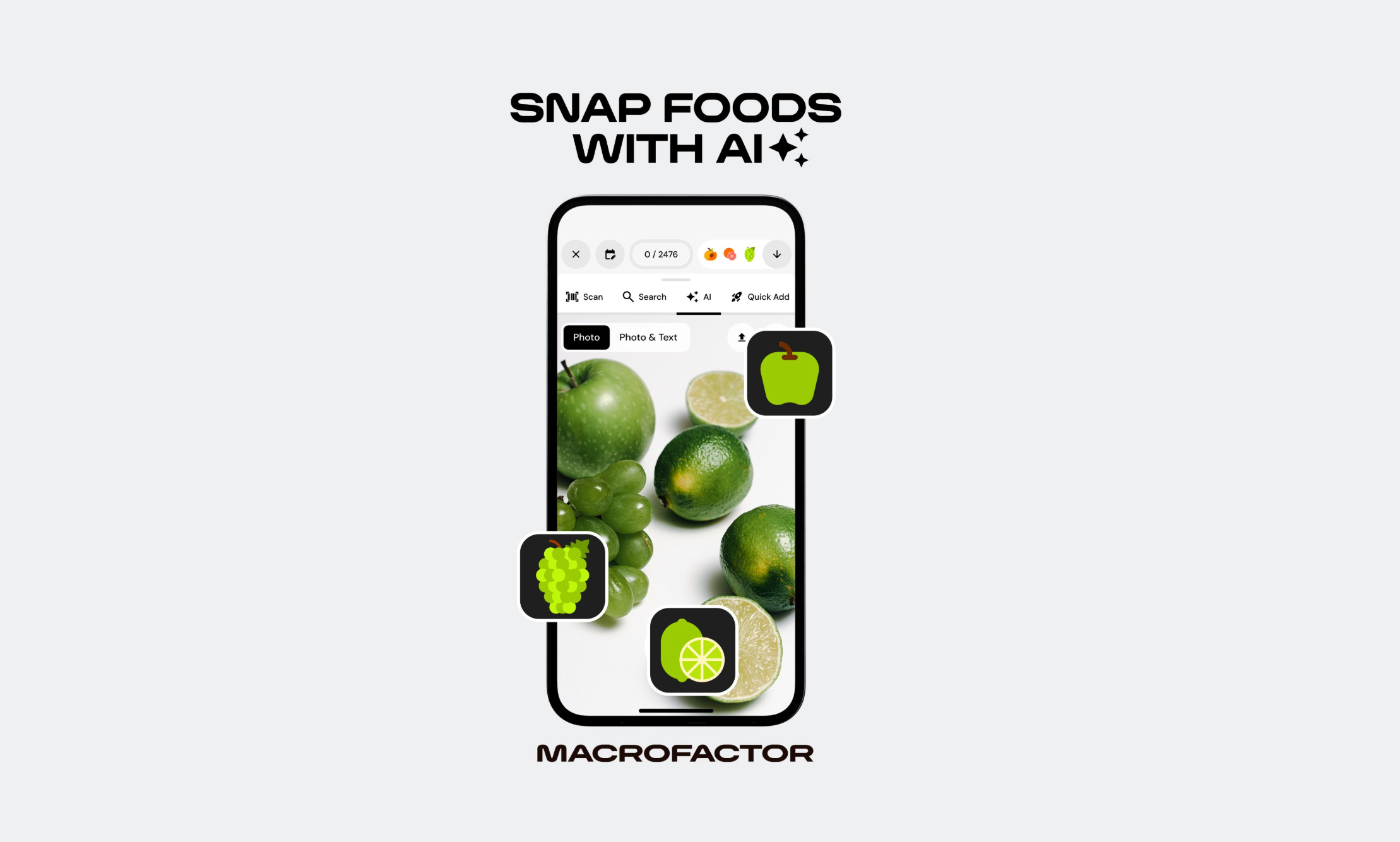
Learn more: MacroFactor revolutionizes nutrition with AI for 400k+ users with Firebase, Flutter, and Gemini
Genkit Dart in preview
We’re also excited to share the preview launch of Genkit Dart, an open-source framework for building full-stack, AI-powered and agentic apps. It has a model-agnostic API that supports providers like Google, Anthropic, and OpenAI. It comes with everything you need to go from prototype to production, including type-safe structured output, tool calling, multi-turn conversations, and built-in observability.
You can run Genkit Dart server-side or client-side in Flutter apps, too!
import 'package:genkit/genkit.dart';
import 'package:genkit_google_genai/genkit_google_genai.dart';
void main() async {
final ai = Genkit(plugins: [googleAI()]);
final response = await ai.generate(
model: googleAI.gemini('gemini-flash-latest'),
prompt: 'Why is Dart a great language for AI
applications?',
);
print(response.text);
}
Learn more: Genkit Dart: Build full-stack AI apps with Dart and Flutter
Gemma 3n Impact Challenge
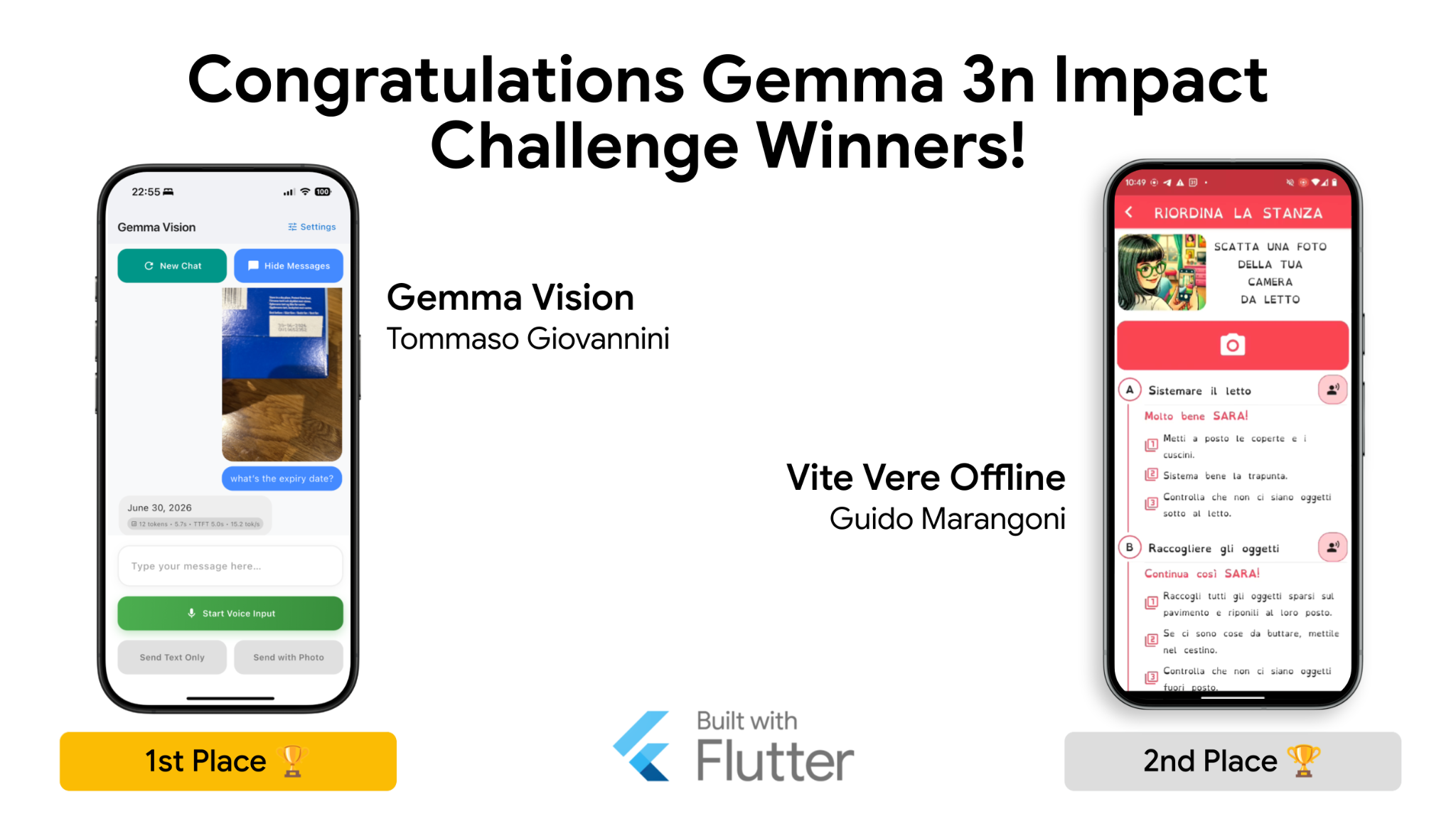
We’re incredibly proud to see Flutter developers pushing the boundaries of what’s possible with AI. A huge congratulations to Tommaso Giovannini, creator of Gemma Vision, and Guido Marangoni, creator of Vite Vere, for their first and second place wins in the Gemma 3n Impact Challenge last year. Both chose Flutter to build life-changing tools:
Gemma Vision helps those with visual impairments perceive the world
Vite Vere assists those with cognitive disabilities in completing tasks in their daily lives.
Learn more: Gemma 3n Impact Challenge winners
Gemma 4
Gemma 4 recently launched, it’s a lightweight, on-device model purpose-built for advanced reasoning and agentic workflows, cost, on-device data constraints, or network constraints. Its multimodal capabilities are fantastic, and I’ve been especially impressed by its ability to do multi-step planning and chaining tool calls.
Historically, managing these on-device models across diverse hardware was complex. This is why I’m so excited about LiteRT-LM.
Learn more: Gemma 4
LiteRT-LM for Flutter
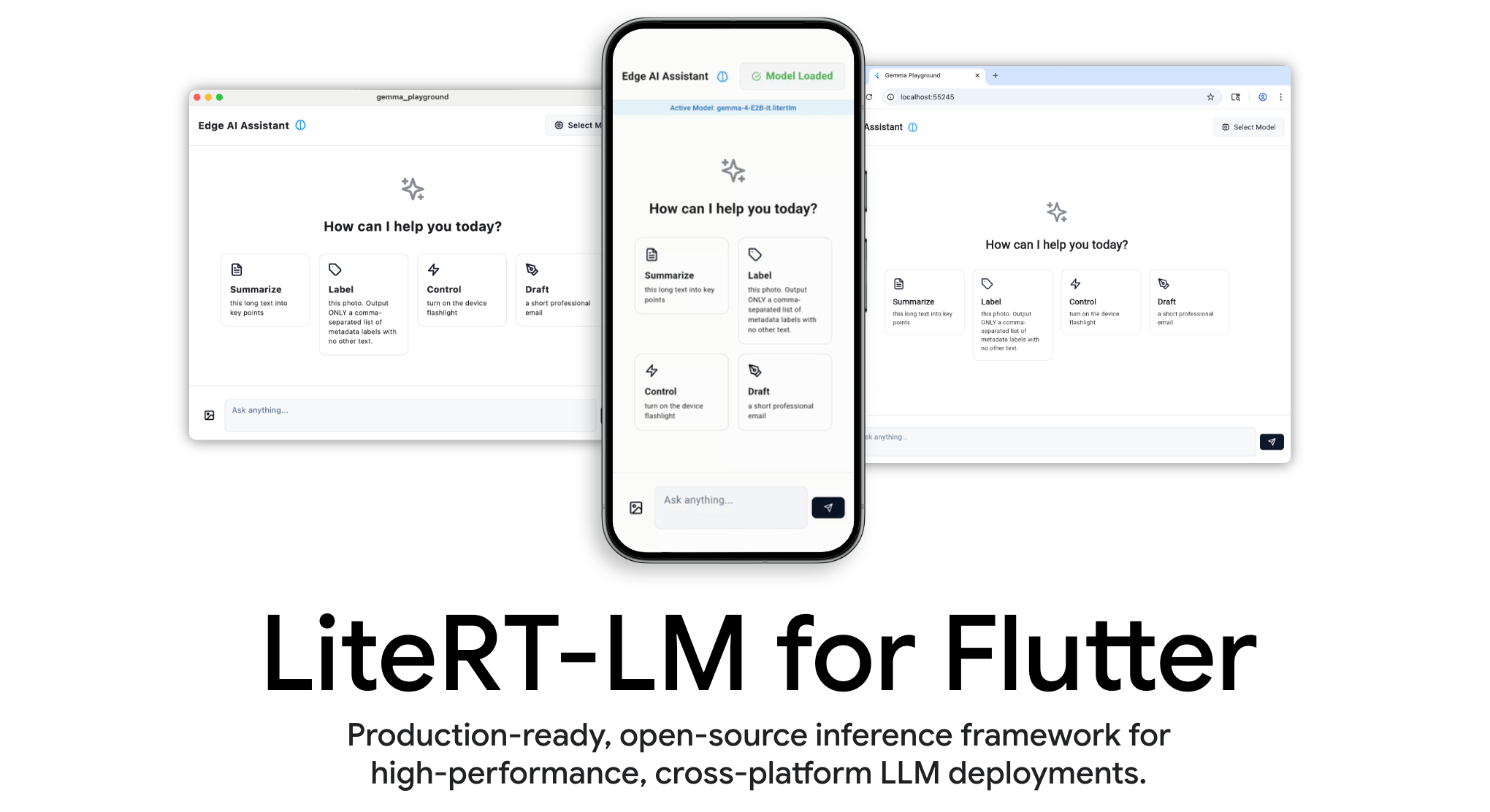
As I was digging into the code for both Gemma Vision and Vite Vere, it was inspiring to see both leveraging the
flutter_gemma, a plugin available from pub.dev, to integrate with Gemma.
It’s only going to get better: we’re excited to share that full LiteRT-LM support for Flutter is coming soon to the
flutter_gemma package.
LiteRT-LM is Google’s production-ready, high-performance, open-source inference framework. This will abstract hardware differences away and enable you to run powerful on-device AI models like Gemma 4 across devices, all while ensuring peak performance with GPU and NPU acceleration across all 6 of Flutter’s stable platforms: Android, iOS, Web, Windows, Linux, and macOS.
Learn more: flutter_gemma
package and LiteRT-LM.
Flutter + A2UI = GenUI
When it comes to AI-driven user experiences, we can all agree that we’re exhausted by walls of markdown — or worse, plaintext.
Generative UI, or GenUI, is a UX paradigm where AI constructs and responds with real-time UI, rather than just text, as seen here in the Hatcha Demo app.
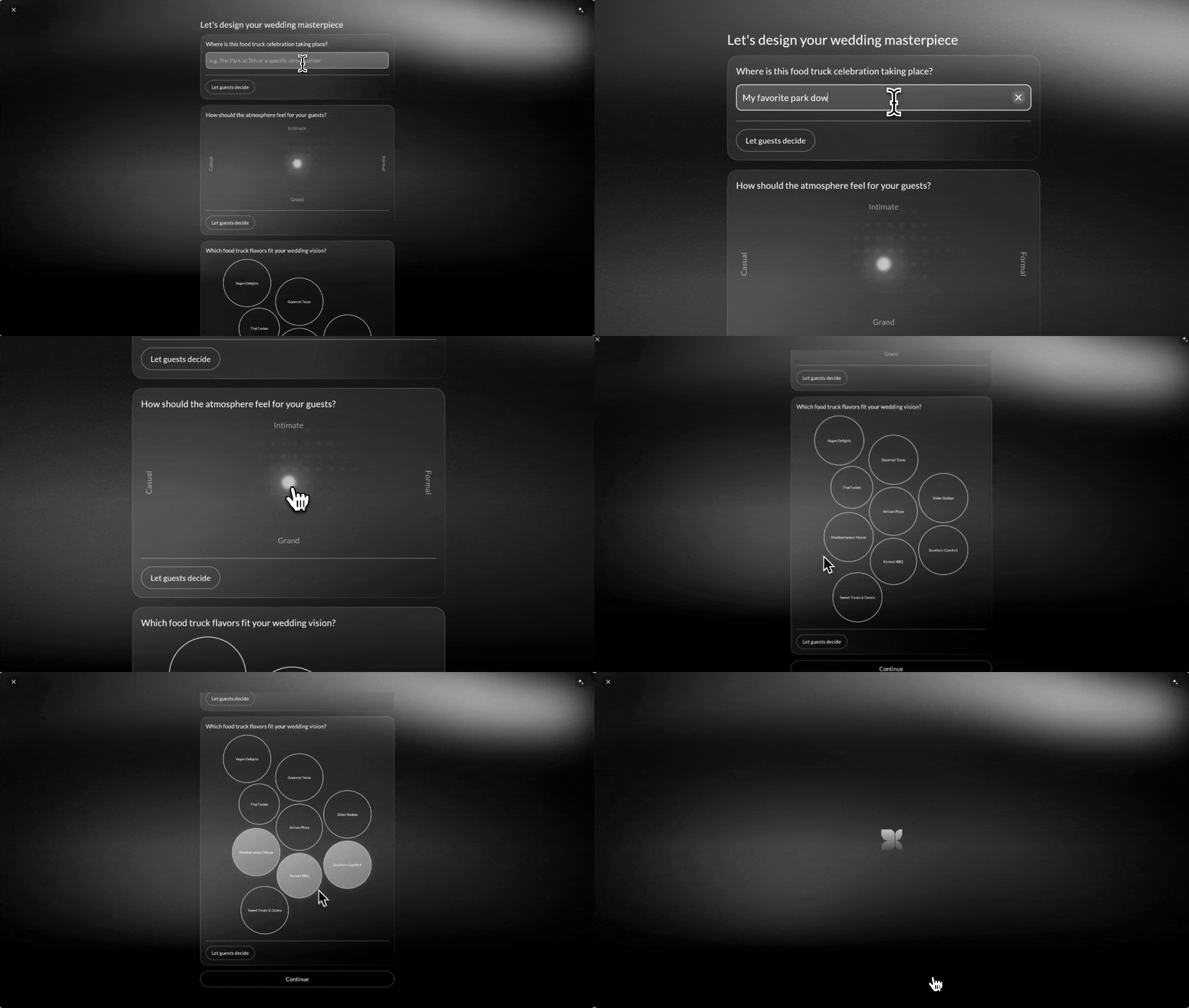
Over the last year, our GenUI team has been pushing this forward as a project partner defining the emerging A2UI protocol. A2UI is an open-source protocol from Google that defines how an agent and a client collaborate on the composition and state of a user interface.
Since launching the Flutter GenUI SDK late last year, we’ve seen incredible momentum, with package downloads up 500% since the beginning of the year.
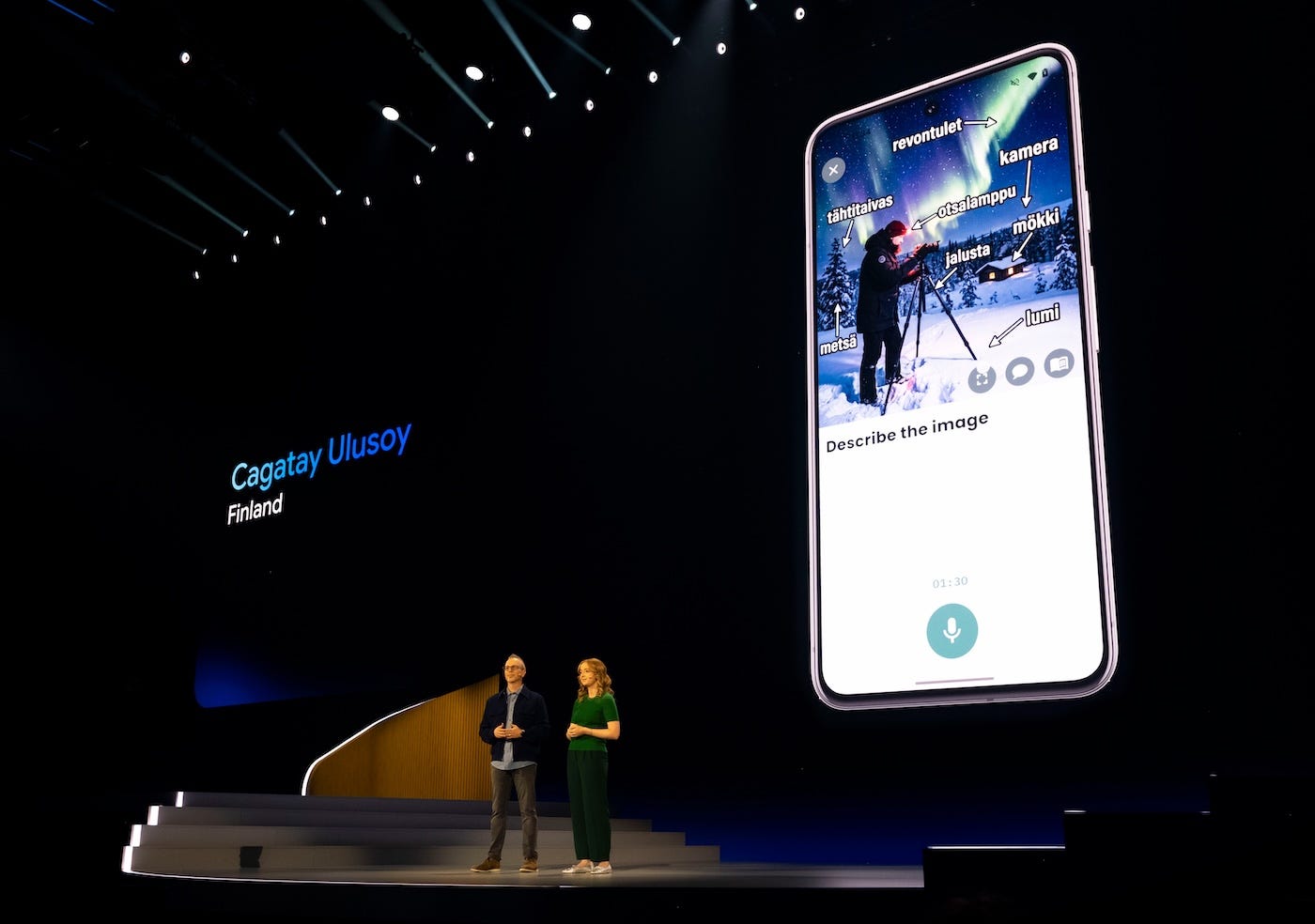
A standout example is Catagay Ulusoy’s Finnish it (Google Play store, Apple store). This app doesn’t just create custom lesson plans to help users learn Finnish; it dynamically composes the perfect UI on the fly for each lesson. If you caught the Cloud Next Developer Keynote last month, you might’ve seen Flutter DevRel lead Emma Twersky give the app and Catagay a well-deserved shoutout!
Learn more: genui package

The Visual Layout experiment
Li-Te Cheng and his team from Google DeepMind were pioneers in the GenUI space. Remember this demo that made its rounds within Flutter circles way back in 2023 because of the red debug banner in the demo? Yep, that was Li-Te’s team!
He joined us for the What’s New in Flutter talk to share his experience building the Gemini App’s “Visual Layout” experiment with Flutter. Here’s the web version:
He touched on why his team tends to reach for Flutter as their UI toolkit of choice… Hint: It’s the same reason that we all love Flutter:
Beautiful UI
Productive developer experience
Multiplatform support
An architecture that is perfectly suited for GenUI (Li-Te’s words, not mine! 😉)
Here were his 3 key takeaways that you can use for your own GenUI projects:
Lean on opinionated frameworks for AI consistency
Use an “AI critic” loop to ensure reliable outputs
Balance speed and control with templates.
In closing, Li-Te challenged us to go beyond walls of text and chatbots, and instead, build rich, interactive, delightful experiences.
Learn more: GenUI SDK for Flutter and, if you want a guided tutorial, try out the Codelab.
Android support
Googlebook and peripheral support
Flutter is already equipped to handle the new Googlebook laptop, powered by Gemini. Because Flutter targets Android’s large-screen guidelines, apps handle external hardware inputs naturally. Trackpad scrolling, mouse hover states, right-click menus, and keyboard shortcuts work by default. Because Flutter has mature desktop support across macOS, Windows, and Linux, Flutter apps will feel native and responsive on a Googlebook rather than looking like stretched mobile ports. Existing mobile apps will feel at home on a Googlebook without requiring an extensive rewrite.
Learn more: Introducing Googlebook, designed for Gemini intelligence
Android 17
Android 17 is on the horizon, and the team is actively testing Flutter against the latest Android 17 betas to ensure your apps continue to work as expected. We’re also proactively integrating the newest security and usability features like Local Network Protections and safe Dynamic Code Loading.
You can monitor our ongoing progress on GitHub. We encourage you to download the Android 17 beta and start testing your apps today. If you run into bugs or notice any missing features, please file an issue!
Learn more: Android 17 GitHub project
Hybrid Composition++ for Android
Embedding native Android components like web views or maps into a Flutter app has historically forced developers to choose between frame rate and fidelity. Older rendering strategies struggled with screen tearing during scrolls, broken text input, or high CPU overhead.
Flutter 3.44 introduces Hybrid Composition++ (HCPP) as an opt-in feature to solve these problems. Instead of relying on offscreen buffers or forcing the Flutter engine to process native views, HCPP delegates layer compositing directly to the Android OS. The process takes advantage of the Vulkan graphics library’s low level access using hardware buffer swapchains and
SurfaceControl transactions to synchronize the Flutter UI with the native Android views.
The result is high-performance scrolling and accurate touch input. It also brings reliable support for
SurfaceView components, which presented challenges for older modes.

HCPP has Android API and hardware requirements, so not all devices can use HCPP even when opted in. There are no new APIs to adopt, and you simply need to enable the flag to upgrade your existing platform views. You can test the new mode before it becomes the default rendering mode in the future by passing the
--enable-hcpp flag to your run command, or by adding the configuration flag to your
AndroidManifest.xml file:
<meta-data
  android:name="io.flutter.embedding.android.EnableHcpp"
    android:value="true" />
Learn more: Hosting native Android views in your Flutter app with Platform Views
Android display corner radii support
To help you build pixel-perfect layouts on modern mobile devices, Flutter now integrates directly with Android hardware to support display corner radii (#179219). Flutter can now query the physical and logical corner radii of the device’s display and expose this information through
MediaQuery. This allows your UI to accurately respect the hardware’s geometry, ensuring content is never clipped on aggressively rounded screens.
Learn more: MediaQueryData.displayCornerRadii
Android Gradle Plugin 9.0 and built-in Kotlin
Prior to Android Gradle plugin (AGP) 9, Android app and plugin developers had to manually add the Kotlin Gradle plugin (KGP) to their build files so the system could understand and compile Kotlin code. As of AGP 9.0, the Android build system handles Kotlin natively. Because the build system already knows how to process Kotlin, manually adding the separate KGP now creates a conflict and causes a build failure. This breaking change affects apps and Flutter plugins that apply KGP.
The Flutter team added temporary backwards compatibility to keep existing projects building safely. Support for manually applying KGP will be removed in a future release.
Instructions for app developers
If you develop Flutter apps, you need to update your Android build files to remove the separate Kotlin Gradle plugin (KGP).
Note: If your migrated app uses a Flutter plugin that still applies KGP, your build will fail. Since only the plugin author can fix this, please report the issue to the plugin author.
Learn more: For full step-by-step instructions, see the app developer migration guide.
Instructions for plugin authors
The migration process for plugins requires similar Gradle file changes, plus an important version constraint update. To ensure compatibility, you must update your
pubspec.yaml file to set a minimum Flutter version constraint of 3.44.
Learn more: For the full checklist, refer to the plugin author migration guide.
ABI filtering changes
ABIs determine which device hardware architectures (like ARM or x86) your compiled app supports. Flutter used to apply ABI filters programmatically to every specific build type, but now configures them once in the base
defaultConfig block. Because the AGP 9 combines the default configuration with specific build types and flavors instead of overriding it, using custom ABI settings requires an extra step.
If your app uses custom abiFilters inside specific build types or product flavors, you now need to pass the
-Pdisable-abi-filtering=true flag when building or running your app.
Learn more: For more details, see the flavors guide.
iOS support
Swift Package Manager is now the default for iOS and macOS
Starting with Flutter 3.44, Swift Package Manager (SwiftPM) replaces CocoaPods as the default dependency manager for iOS and macOS apps. The Flutter CLI handles this migration automatically. When you build or run your app, the CLI updates your Xcode project to use SwiftPM, removing the need to manage Ruby or CocoaPods installations!
Learn more: Say goodbye to CocoaPods: Swift Package Manager is soon the default in Flutter!
Add-to-App integration is also more flexible. If you embed Flutter into an existing iOS application, the new
flutter build swift-package command packages your Flutter app or add-to-app module as a Swift Package for easy consumption in your native project.
Learn more: View the updated documentation to learn how to integrate with SwiftPM.
If your app relies on plugins that still require CocoaPods, the Flutter CLI will print a warning and temporarily fall back to CocoaPods for those dependencies. We recommend asking those package maintainers to update, as CocoaPods support will eventually be removed entirely. To encourage ecosystem adoption, packages with SwiftPM support are now awarded additional points in pub.dev scoring.
If you maintain an iOS or macOS plugin, you need to add SwiftPM support to your package. If you migrated during the 2024 pilot, make sure you also add
FlutterFramework as a dependency in your Package.swift file.
If SwiftPM causes a breaking issue for your project, you can temporarily disable it by setting --enable-swift-package-manager: false
in your pubspec.yaml. If you use this opt-out, please file a bug report on GitHub
with your Xcode project files so we can investigate. Please note that this opt-out feature will eventually be removed.
Learn more: Swift Package Manager for plugin authors
Flutter supports UIScene
Starting with iOS 13, Apple introduced the “Scene”-based lifecycle to support multi-window experiences. During WWDC 2025, Apple announced that apps built with the latest SDK will soon be required to use the
UIScene lifecycle to launch. This update is critical in meeting Apple’s requirements for upcoming iOS versions.
There are no new changes in Flutter 3.44, but we would like to remind you to migrate before Apple starts enforcing this new API by default. The Flutter CLI automatically migrates your app if your
AppDelegate hasn’t been customized. However, if your code tinkers with UI lifecycle events, you should follow the full migration guide.
Learn more: UISceneDelegate migration guide
iOS predictive text (experimental)
We are introducing experimental support for native iOS inline predictive text for text input fields (#183650). This feature is off by default, but you can opt-in and test it by enabling
TextField.enableInlinePrediction. When enabled, users typing in your app can accept iOS-predicted text (for example, typing “My n” and accepting “ame”) by pressing the
Space key. Please note that the visual styling for this predictive text is still under active polish, and we appreciate your feedback as we finalize this feature.
Learn more: TextField.enableInlinePrediction
Web
Accessibility
Accessibility and user preference parity have also been greatly enhanced, featuring out-of-the-box support for the browser’s
prefers-reduced-motion setting to automatically disable animations, alongside immediate screen reader feedback for form validation errors using
aria-description.
Learn more: prefers-reduced-motion CSS media feature (mozilla.org)
Platform and tooling
Development workflows and browser integration have never been smoother. The engine now handles autofill
in iOS 26 Safari by reusing DOM forms across focus shifts, while refining web scrolling and keyboard event synthesis for robust reliability. Furthermore, the CLI streamlines web app orchestration by bringing
--base-href support directly to flutter run, matching production build configurations.
Learn more: PR #182024, PR #179703, PR #180692
Desktop support
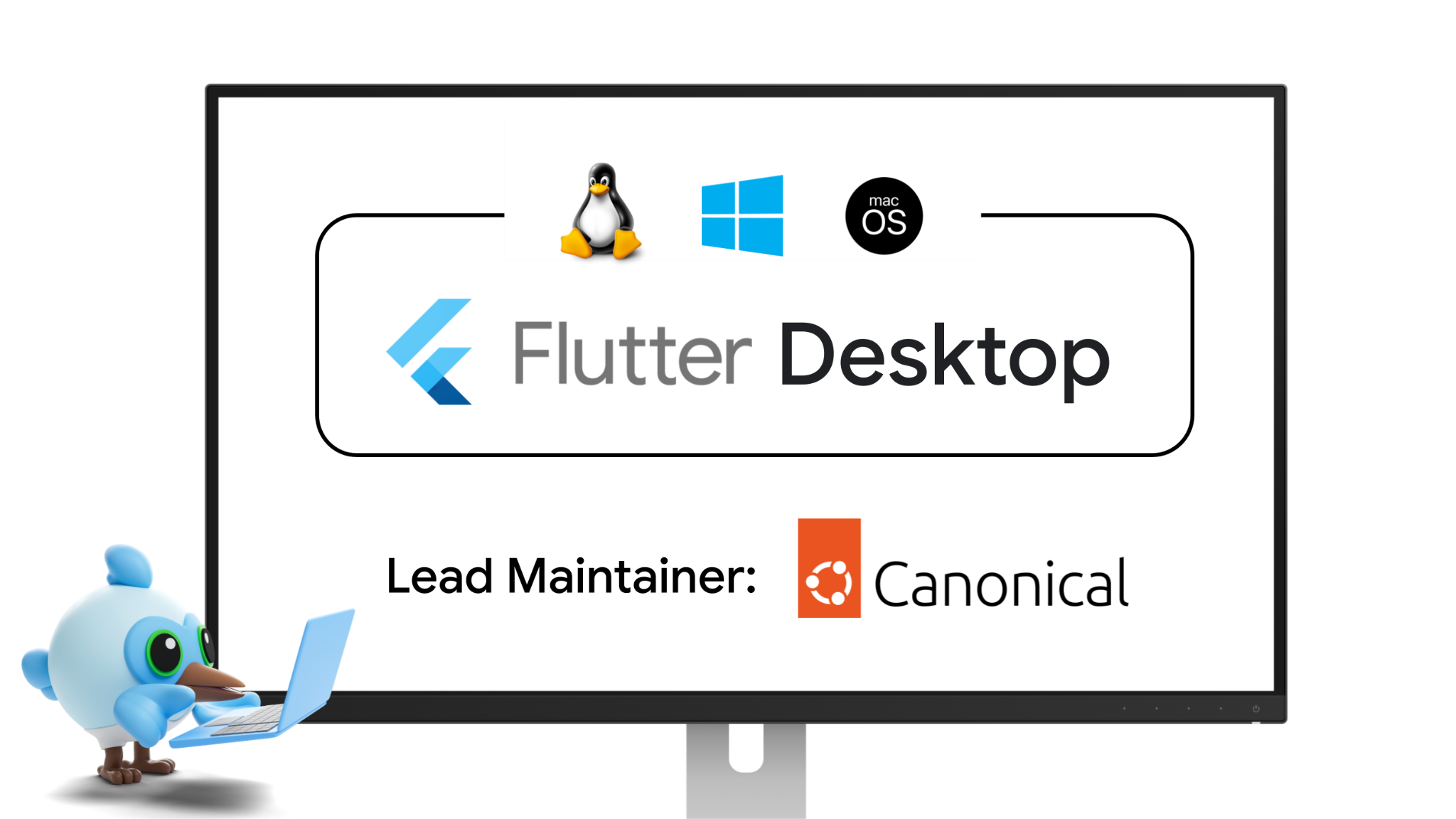
We are excited to announce an expanded partnership with Canonical, who will now serve as the lead maintainer and Strategic Steward for Flutter Desktop. With their deep technical expertise, Canonical will lead the Flutter Desktop roadmap and oversee the maintenance of our Linux, Windows, and macOS embedders.
This collaboration represents just the first step in a broader ecosystem expansion. Moving forward, we are actively expanding our governance with more partners to bring Flutter’s high-performance, multi-platform experience to even more environments and industries.
Stay tuned to hear more about this partnership!
To inquire about partnering with the Flutter team, contact partners@flutter.dev.
Windowing APIs (experimental)
⚠️ Note: Windowing features are currently only available on the main channel. They are not yet intended for production use.

Canonical continues to make excellent progress on desktop’s experimental windowing APIs! New features include:
-
Tooltips: Flutter now supports tooltip windows across Linux, macOS, and Windows (#182348, #180895, #179147).
-
Popups: Flutter now supports popup windows on macOS (#182371), with support for Linux and Windows expected in a future release.
-
Dialogs: Material’s
showDialogfunction now creates a separate child dialog window on platforms that support windowing (#181861).
Finally, content-sized views are now supported on Linux (#182924). This lets you size a window dynamically based on its content, which is useful for popup or tooltip windows.
Learn more: For an early sneak peek of desktop’s experimental windowing APIs, check out the
multiple_windows example.
Windows stylus support
Windows apps built with Flutter got a major upgrade for digital artists and note-takers! Thanks to a brilliant contribution from community member CodeDoctorDE, Flutter Windows now supports stylus input, including precise tracking for both stylus rotation and pressure sensitivity.
Learn more: PR 165323: Allow stylus support on Windows
Embedded
Toyota
The Toyota RAV4 was the world’s best selling car in 2025. Now, the 2026 RAV4 is using Flutter to power its multimedia system.
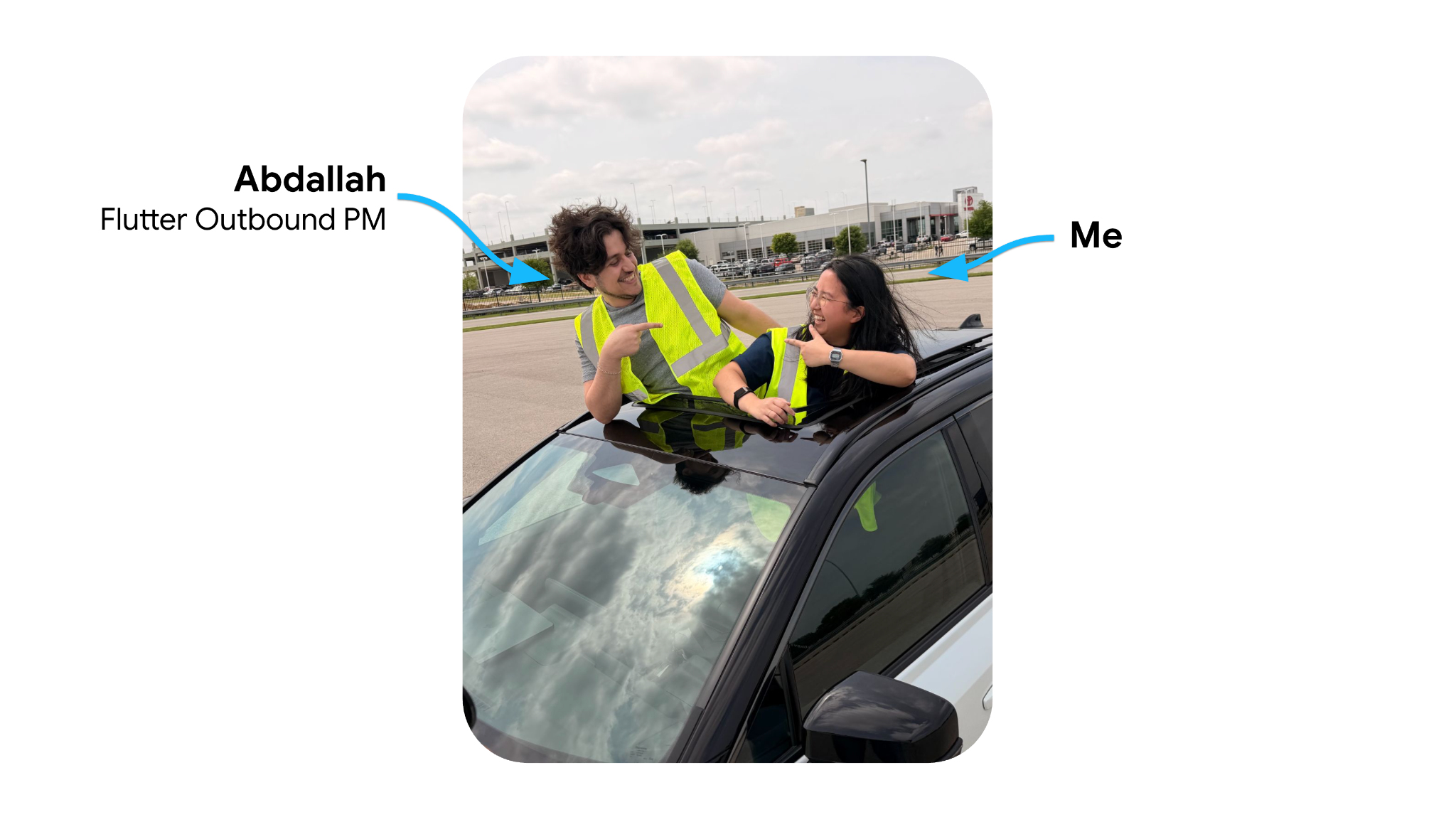
Last month, I experienced one of the highlights of my career: The opportunity to travel to Plano, TX and visit the Toyota Motor North America & Toyota Connected offices to talk to the engineering team about how Flutter has changed the game for them when it comes to designing, building, and delivering multimedia systems: from the test units in their offices to cars in driveways. As both a Flutter engineer and a car nerd who grew up in a family that only purchased Toyotas, I’m ecstatic to see Flutter running on the 2026 RAV4. I’ve seen them so many times as I’m out and about. (ahem-everywhere??)
Thank you to the Toyota Motor North America and Toyota Connected teams for hosting us!
Check out the showcase video:
Learn more: Toyota’s press release, The Latest Evolution of Toyota’s Multimedia Coming to a Screen Near You
LG
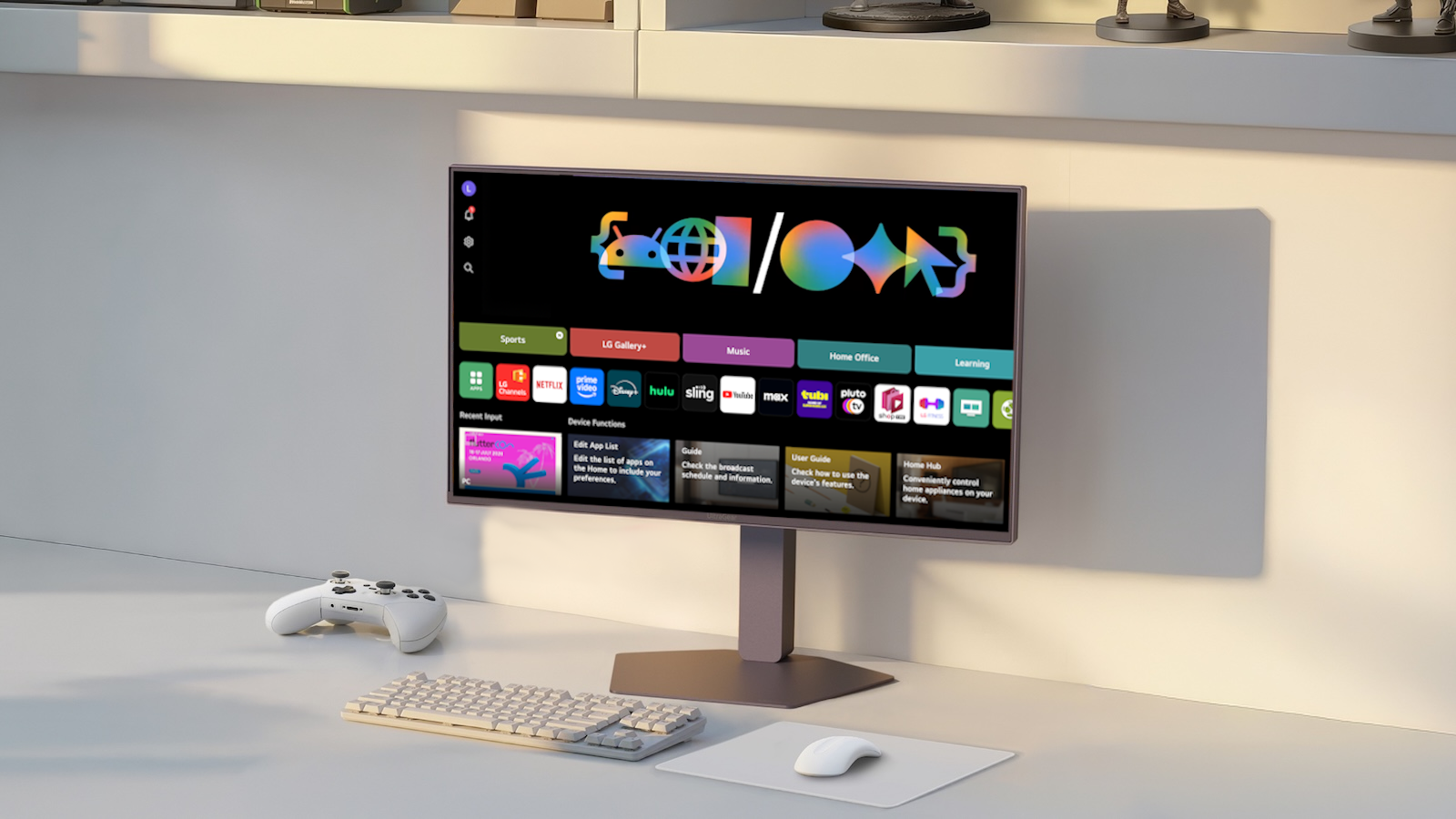
LG is on the verge of launching the webOS SDK to help developers easily build Flutter apps that target WebOS devices, empowering Flutter for the big screen and beyond.
The webOS SDK will include plugin support for Firebase, video players, gamepads, and more. It’ll even come with support for all of the Flutter features that you know and love, like stateful hot reload and state management with Riverpod.
Keep an eye out for this exciting launch in the coming weeks!
Graphics and engine enhancements
This release brings targeted rendering and performance enhancements to the Impeller backend.
Impeller improvements
Vulkan
This release includes several Vulkan improvements including better memory management of caches and more efficient GPU/CPU synchronization in cases where frames are being dropped.
Cleaner circles with SDFs
The math for rendering circles has been updated to support cleaner circles using signed-distance functions. There were cases where they would previously be aliased, but that has been resolved. (#183536, #183184)

Shadow and perspective fixes
Improvement on how Impeller handles perspective matrices, correcting rendering behaviors for shadows and perspective projection transforms. (#181434, #183187)
FragmentShader improvements
Writing fragment shaders is now more intuitive and less error-prone, thanks to the following enhancements.
Get Uniform by Name API
You can now bind uniform variables in your shaders by name instead of manual offsets, dramatically simplifying shader code setup:
    void setUp(ui.FragmentShader shader) {
      shader.getUniformFloat('foobar').set(1.234);
    }
Learn more: Writing and using FragmentShaders,
FragmentShader.getUniformFloat
Clearer shader compiler diagnostics
The shader compiler now generates warnings when compiling shaders that aren’t compatible with Skia, helping you identify cross-platform rendering issues before deploying (#182786, #183146).
Framework
This release balances significant architectural shifts with a rigorous focus on quality and community-driven refinements. As we begin the strategic decoupling of the Material and Cupertino libraries to standalone packages, the core framework continues to mature with major updates to web rendering, foundational stability improvements, and enhanced platform integration.
Material and Cupertino updates
This release marks a massive milestone for the Material and Cupertino libraries. These libraries have been frozen as of this release, representing the final set of updates to these libraries within the core framework before they transition to standalone packages:
material_ui and cupertino_ui. By the next stable release, the versions of these libraries currently in the framework will be deprecated, and you will be able to migrate to the new, independently-versioned packages.
Learn more: For more information on this transition, read the blog post about the freeze and follow the main tracking issue for decoupling these libraries from the core framework.

Despite the freeze, this release is packed with refinements. A major highlight is the modernization of menus in the Cupertino library. The new
CupertinoMenuAnchor widget, built on the flexible RawMenuAnchor foundation, provides a more robust and native-feeling menu experience for iOS applications (#182036). This work was made possible by the extensive contributions of community member
davidhicks980, who also created the RawMenuAnchor widget.
Learn more: CupertinoMenuAnchor

On the Material side, menus also receive a polish with the addition of Material 3 animations to the MenuAnchor
class. These animations provide a smoother, more responsive feel, and a new hoverOpenDelay
parameter on SubmenuButton gives you finer control over submenu interactions. The animation is disabled by default, and is enabled by setting animated to true. (#176494).
Learn more: MenuAnchor,
SubmenuButton.hoverOpenDelay
This release also enables scrollable content within a CupertinoSheetRoute to work seamlessly with the dragging animation, allowing for a more fluid transition between scrolling and dismissing the sheet (#177337). For developers needing custom drag regions, the new
scrollableBuilder allows you to pass the managed ScrollController to the body’s scrollable areas to coordinate sheet dragging for you.

CupertinoSheetRoute
working seamlessly with the dragging animation
Learn more: CupertinoSheetRoute,
CupertinoSheetRoute.scrollableBuilder
The CarouselView component sees major functional improvements in this release. It now supports infinite scrolling (#175710), allowing you to create seamlessly looping carousels. It also features a new
onIndexChanged callback and a leadingItem property on its controller, providing better visibility into the carousel’s state as the user interacts with it (#180667).

Learn more: CarouselView
New design primitives make it easier to achieve sophisticated UI effects, such as the new ShapedInputBorder. This allows Material widgets to create an input border using a shape by specifying any
ShapeBorder. This can be useful, for example, for making the Material input border appear in an iOS style using
RoundedSuperellipseBorder. (#177220). Similarly,
CupertinoFocusHalo now supports the superellipse shape, ensuring consistent focus indicators across different widget geometries (#180724).
Learn more: ShapedInputBorder
Several existing widgets have also been refined. The Expansible widget, which powers Material’s
ExpansionTile under the hood, is now more capable. A new toggle method is now available on both
ExpansibleController and ExpansionTileController, accompanied by improved documentation and examples (#181320,
#180273). Additionally, Material’s list tiles,
RadioListTile, CheckboxListTile, and SwitchListTile, now correctly accept a
WidgetStatesController, allowing for more programmatic control over their visual states (#180367).
Accessibility: a more inclusive experience for all users
Making applications accessible to everyone remains a core priority of the Flutter framework. This release introduces deeper integration with platform-specific accessibility settings, improves the precision of semantic announcements, and refines the accessibility of common UI components.
For iOS developers, this release adds support for several new accessibility motion features (#178102). Your applications can now respond to user preferences for:
-
Auto-play animated images: Detects when a user prefers to pause automatically playing GIFs or other animated content.
-
Auto-play video previews: Informs the app if the user has disabled the automatic playback of video previews.
-
Prefer non-blinking cursor: Allows the app to provide a stable, non-blinking text indicator for users who find blinking cursors distracting or difficult to track.
-
These settings are exposed with the
AccessibilityFeaturesobject, enabling you to build more responsive and respectful UIs on iOS.
Progress indicators also receive a quality-of-life improvement. You can now use percentage strings (such as “50%”) as a
SemanticsValue for ProgressIndicator (#183670). This allows screen readers to announce progress in a more natural and human-readable format, rather than just raw decimal values.
This release also polishes the semantics of core widgets. The Slider widget’s semantics node has been refactored to more accurately reflect its size and position, improving the experience for users who navigate by touch exploration or assistive devices (#184168). Additionally, a fix for scroll views ensures that invisible accessibility elements are no longer incorrectly presented before the scrollable content, leading to a cleaner and more predictable navigation flow (#184155).
Together, these changes ensure that Flutter applications continue to provide a high-quality, inclusive experience across all platforms.
Resiliency for zero-width/height widgets
A major effort in this release has been dedicated to improving the framework’s stability when widgets are rendered in “0x0 environments” — scenarios where widgets are given zero width or height, which could previously trigger layout errors or unexpected crashes. Thanks to the gradual, steady contributions of community member
ahmedsameha1, we have added zero-size coverage across many core widgets, including
Hero (#180954), Icon
(#181021), AnimatedPadding
(#181235), and GridPaper (#180906). These updates ensure that your applications remain resilient during complex layout transitions or inside highly constrained viewports.
SelectableRegion improvements
We have resolved two key issues inside SelectableRegion to improve layout fidelity and text selection behavior across native and web platforms:
Web layout constraint preservation
Previously, SelectableRegion could cause its children to shrink unexpectedly when rendering on the web. It now correctly passes all layout constraints unmodified to its children, ensuring consistent sizing behavior (#184083).
Multiline copy precision
Text selection within SelectableRegion is now more precise — when users select and copy text that spans multiple lines, line breaks are now properly preserved in the copied output instead of being lost (#184421).
Breaking changes and deprecations
This release includes several important deprecations and breaking changes as part of the ongoing effort to modernize and improve the Flutter framework.
RawMenuAnchor callback adjustments
The calling order of some callbacks of RawMenuAnchor has been adjusted to allow more flexible and predictable customization.
Learn more: Changing RawMenuAnchor close order
Key deprecations in this release include:
-
CupertinoSheetRoute: ThebuilderandpageBuilderparameters inshowCupertinoSheetandCupertinoSheetRouteare now deprecated in favor ofscrollableBuilder(#177337). This change allows for better integration of scrollable content with the sheet’s dragging animations. -
ReorderableListView: TheonReordercallback is deprecated in favor of the more preciseonReorderItem(#178242). The new callback provides a more predictablenewIndexthat accounts for the item being removed before being re-inserted. -
Tooling: The
--web-hot-reloadflag in the Flutter tool is now deprecated, as hot reload for web is now handled through more modern mechanisms (#181884). Additionally, theplugin_ffitemplate is deprecated in favor of the more robust plugin template with FFI support (#181588).
Learn more: For more details and migration guidance on these and other changes, see the breaking changes page on flutter.dev.
Flutter is everywhere, everyday.
Flutter’s reach extends across mobile, desktop, web, and embedded systems, and while individual features are impressive, they collectively deliver a robust platform for developers — empowering over 1.5 million developers to build incredible, user experiences that are used everywhere, everyday. You can find Flutter in everything from business tools and daily apps like NotebookLM, Talabat, Zoho, and Karaca, to high-profile embedded implementations like the infotainment system in the 2026 Toyota RAV4 and LG’s webOS devices.
Flutter is built by everyone, for everyone.
Flutter’s success is built on your feedback! We’re committed to keeping that conversation going — whether through comments, issues, or our upcoming developer survey. Your input is what drives the features you love, so please keep sharing it with us.
This ecosystem is depended upon by and made up of industry leaders like LG, Toyota, and Canonical — and most importantly, by the over 1.5 million developers building with Flutter everyday. We are so excited to continue building and growing this wonderful Dart & Flutter ecosystem together.
To try out all the new features, optimizations, and graphics enhancements, all it takes is a simple:
flutter upgrade